canvas入门
文档:https://developer.mozilla.org/en-US/docs/Web/API/Canvas_API/Tutorial
创建canvas画布的两种方法
<!DOCTYPE html><html lang="en"><head> <meta charset="UTF-8"> <title>创建canvas画布的两种方法</title></head><body><!--方法1: 通过标签来创建--><canvas id="canvas1" width="100" height="100" style="background: black"></canvas><script> <!--方法2: 通过js来创建--> const canvas = document.createElement('canvas'); canvas.id = 'canvas2'; canvas.width = 200; canvas.height = 200; canvas.style.background = 'red'; document.body.appendChild(canvas);</script></body></html>绘制各种图形
<!DOCTYPE html><html lang="en"><head> <meta charset="UTF-8"> <title>绘制各种图形</title></head><body><canvas id="canvas1"></canvas><script> const canvas = document.getElementById('canvas1') canvas.width = 500 canvas.height = 500 // canvas.style.background = 'red' canvas.style.border = '1px solid black' const ctx = canvas.getContext('2d') // 绘制矩形 ctx.fillStyle = 'red' ctx.fillRect(0, 0, 100, 100) // 绘制圆形 ctx.beginPath() ctx.arc(200, 200, 100, 0, Math.PI * 2) ctx.fillStyle = 'blue' ctx.fill() ctx.closePath() // 绘制椭圆 ctx.beginPath() ctx.ellipse(400, 100, 100, 50, 0, 0, Math.PI * 2) ctx.fillStyle = 'yellow' ctx.fill() ctx.closePath() // 绘制三角形 ctx.beginPath() ctx.moveTo(300, 300) ctx.lineTo(400, 300) ctx.lineTo(350, 400) ctx.closePath() ctx.fillStyle = 'green' ctx.fill() // 绘制文字 ctx.font = '30px Arial' ctx.fillStyle = 'black' ctx.fillText('Hello World', 100, 100) // 绘制图片 const img = new Image() img.src = 'https://www.baidu.com/img/bd_logo1.png' img.onload = function () { ctx.drawImage(img, 0, 100, 100, 100) }</script></body></html>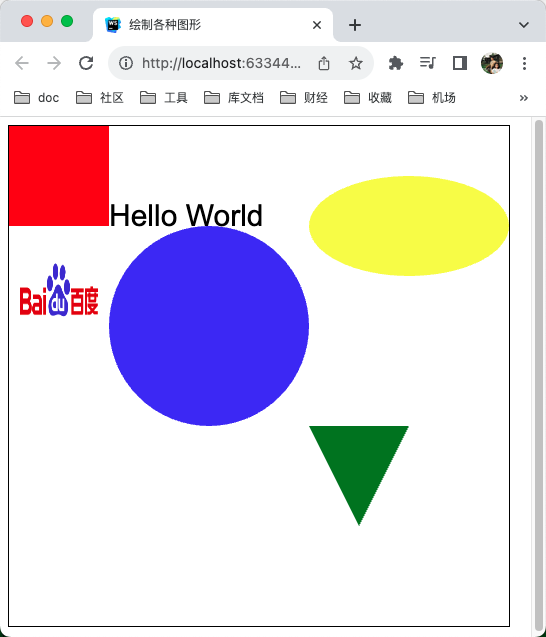
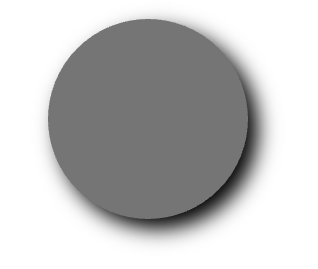
绘制阴影
<!DOCTYPE html><html lang="en"><head> <meta charset="UTF-8"> <title>使用阴影</title></head><body><canvas id="canvas1"></canvas><script> const canvas = document.getElementById('canvas1') canvas.width = 500 canvas.height = 500 // canvas.style.background = 'red' canvas.style.border = '1px solid black' const ctx = canvas.getContext('2d') ctx.beginPath() ctx.shadowBlur = 20 ctx.shadowColor = 'black' ctx.shadowOffsetX = 10 ctx.shadowOffsetY = 10 ctx.arc(200, 200, 100, 0, Math.PI * 2) ctx.fillStyle = 'grey' ctx.fill() ctx.closePath()</script></body></html>